

HELP GUIDE:
How To Log Your Volunteer Hours
Step 1: Add hours
Navigate to TRACK HOURS & VIEW SCHEDULE from the left-side menu.
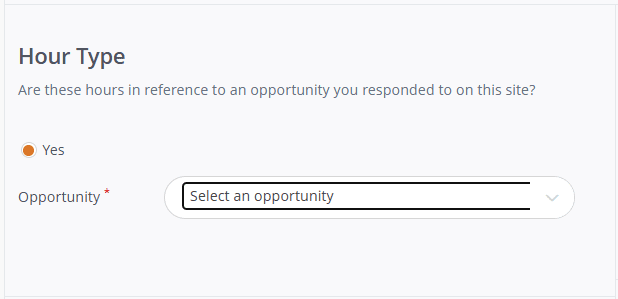
Step 2: Hour Type
Use the dropdown to select the volunteer opportunity* you're logging.
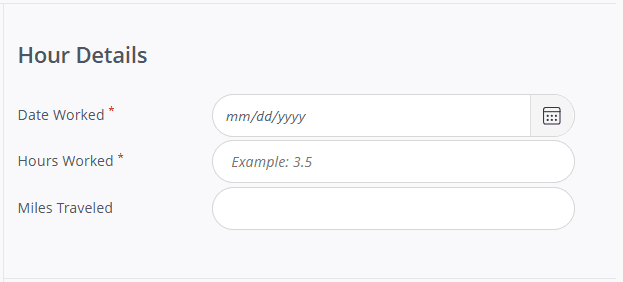
Step 3: Hour Details
Please note: Each day that you engaged in your volunteer opportunity must be logged as a separate date entry.
Date Worked*: Enter the date you are logging hours for.
Hours Worked*: Add the total number of hours you engaged in the volunteer opportunity for the date you selected. This total should match the "START TIME" and "END TIME" you enter in the "Hours Questions" category below.
Miles Traveled: You can choose to include the number of miles you traveled in order to participate in that volunteer opportunity, but this is optional.
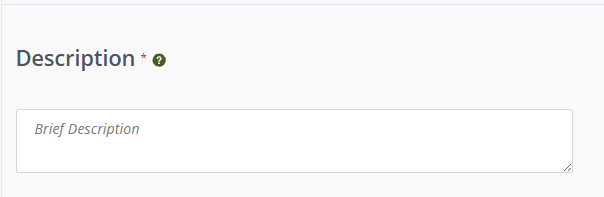
Step 4: Description*
Briefly describe how you engaged in your volunteering opportunity for that day.
Example descriptions:
-Prepped for Hunter Education class;
-Taught Hunter Education class Part 1;
-Taught Basic Archery class at Broussard Middle;
-Picked up trash at Maurepas Swamp WMA;
-Taught from "Let's Go Fishing" activity book to 5th and 6th graders
-Participated in outreach event at St. Martin Parish Sherriff's office in Breaux Bridge, LA;
-Completed paperwork for Boater Safety Education class at Lafayette LDWF office
-Taught people about birding at National Hunting and Fishing Day at Woodworth
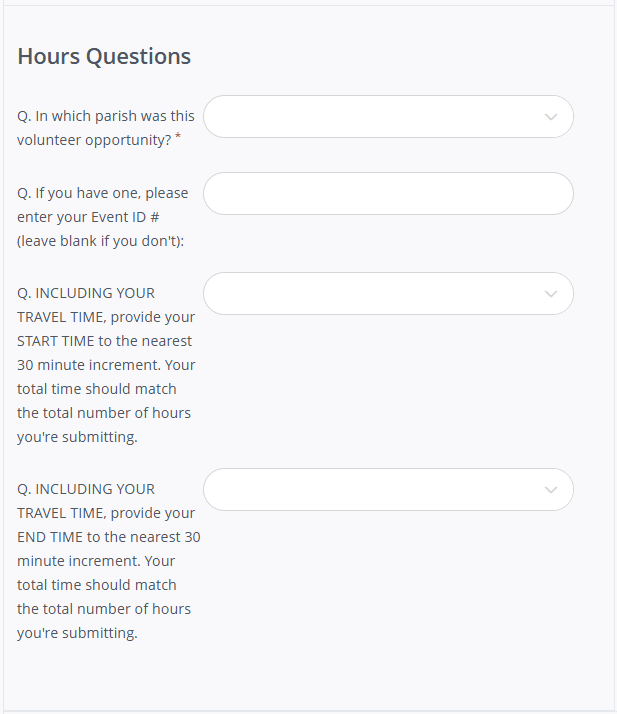
Step 5: Hours Questions
Parish*: For the selected date, choose the parish in which you volunteered that day.
Event ID #: Some volunteers may have an Event ID# for a course they teach. If you do, enter the Event ID# from LouisianaOutdoors.com. If you do not have an Event ID# (or are unsure if you do), leave this blank.
START TIME: Enter the time you began your volunteer work for the date selected.
Step 6: Submit
Check for accuracy and then click SUBMIT HOUR ENTRY. Continue the same procedure for any additional dates you'd like to log.
What Now?
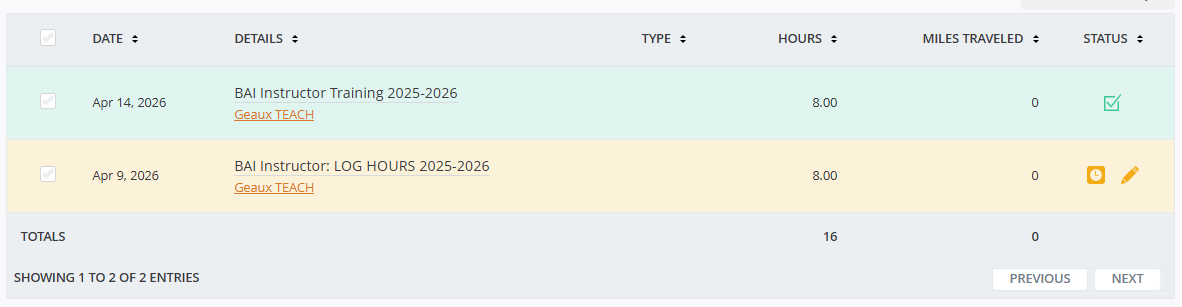
An LDWF staff member will be notified that you have submitted hours. Once approved, your hours will appear at the top of your Volunteer Hours page.
Submissions in green have been approved and are no longer editable.
Submissions in orange are pending approval and are editable.
Questions about logging hours?
Contact your volunteer coordinator or email geauxvolunteer@wlf.la.gov.

